> ## Documentation Index
> Fetch the complete documentation index at: https://trigger.dev/docs/llms.txt
> Use this file to discover all available pages before exploring further.
# Bulk actions
> Replay or cancel multiple runs from the dashboard using filters or selected run IDs.
**Bulk actions let you replay or cancel multiple runs asynchronously from the dashboard.**
Use bulk actions when you need to retry failed runs after deploying a fix, or stop a group of queued or executing runs.
For backend code, see [Bulk actions with the SDK](/docs/runs/bulk-actions).
## Create a bulk action in the dashboard
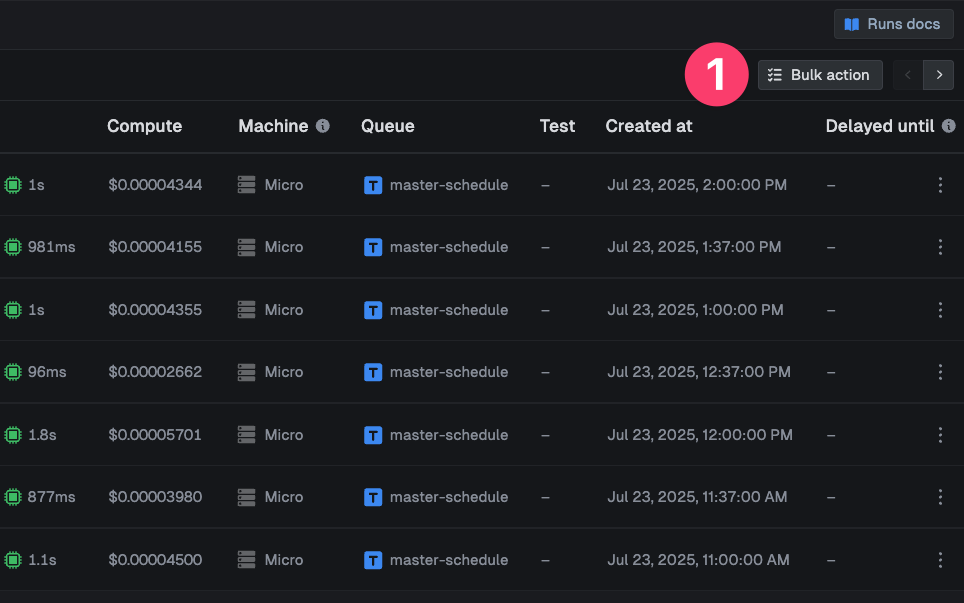
Open the runs page and click **Bulk action** in the top right.
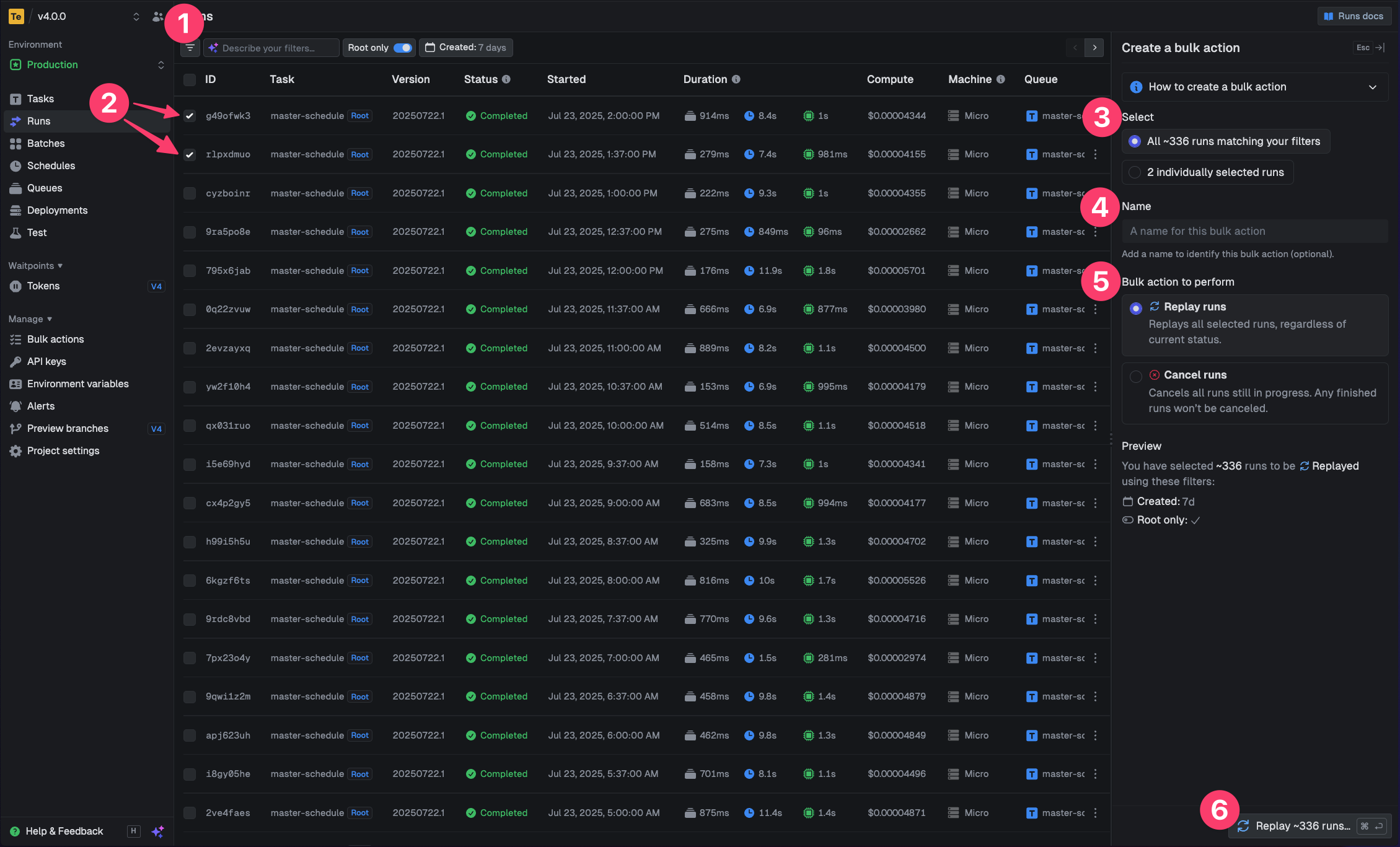
 Filter the runs table to target a group of runs, or select individual runs from the table.
Choose **Replay** or **Cancel**, add an optional name, then confirm the action.
Filter the runs table to target a group of runs, or select individual runs from the table.
Choose **Replay** or **Cancel**, add an optional name, then confirm the action.
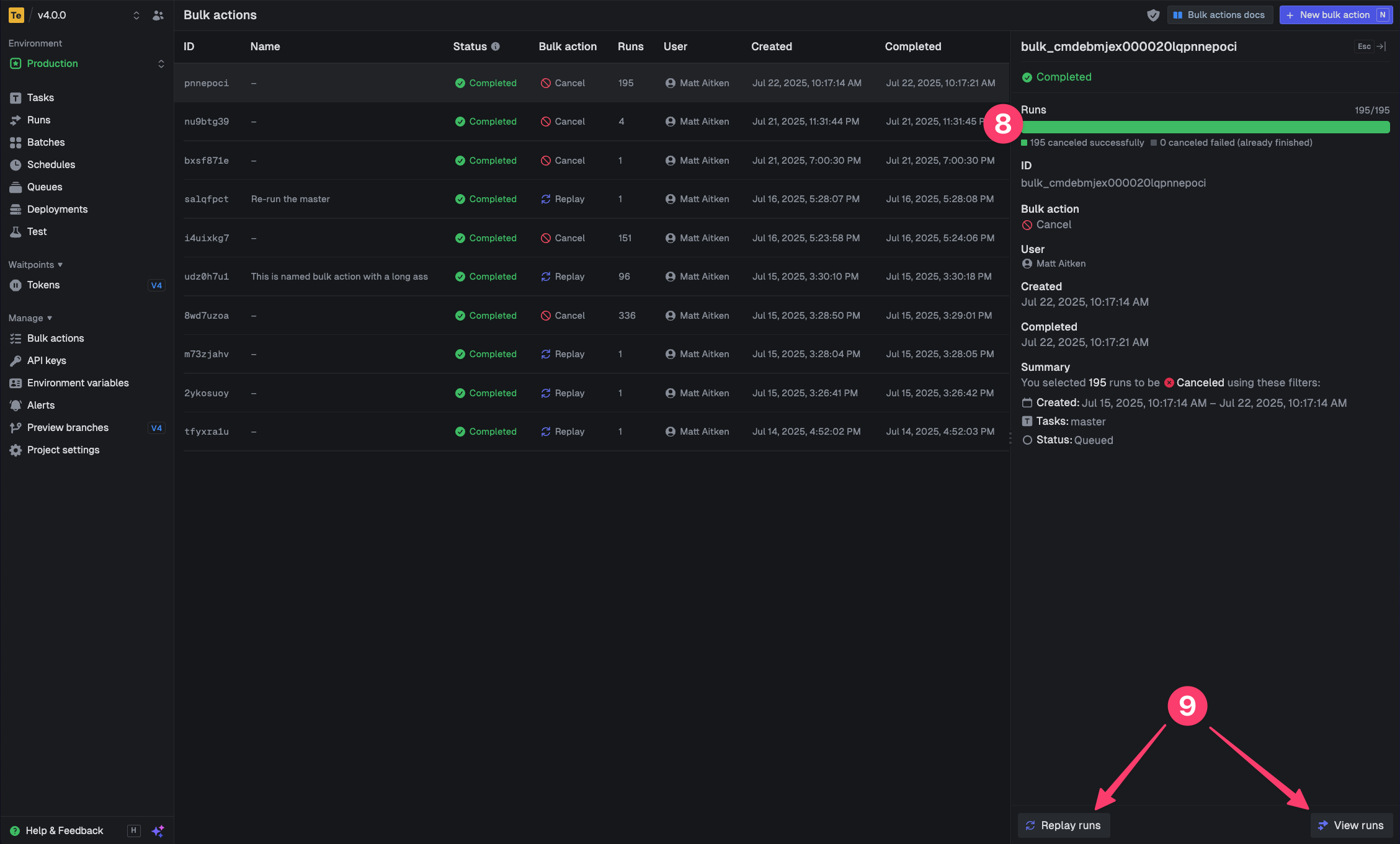
 Open the bulk action page to see progress, view affected runs, or replay the action.
 You can only cancel runs that are still cancelable, such as queued or executing runs. Runs that have already reached a final state cannot be canceled.
## Create a bulk action from the SDK
Use `runs.bulk.replay()` or `runs.bulk.cancel()` when you want to create a bulk action from your backend code.
```ts Your backend code theme={"theme":"css-variables"}
import { runs } from "@trigger.dev/sdk";
const action = await runs.bulk.replay({
filter: {
status: "FAILED",
taskIdentifier: "sync-customer",
period: "24h",
},
name: "Replay failed customer syncs",
});
const completed = await runs.bulk.poll(action.id);
console.log(completed.status, completed.counts);
```
See [Bulk actions with the SDK](/docs/runs/bulk-actions) for canceling, listing, polling, and aborting bulk actions from your backend code.
You can only cancel runs that are still cancelable, such as queued or executing runs. Runs that have already reached a final state cannot be canceled.
## Create a bulk action from the SDK
Use `runs.bulk.replay()` or `runs.bulk.cancel()` when you want to create a bulk action from your backend code.
```ts Your backend code theme={"theme":"css-variables"}
import { runs } from "@trigger.dev/sdk";
const action = await runs.bulk.replay({
filter: {
status: "FAILED",
taskIdentifier: "sync-customer",
period: "24h",
},
name: "Replay failed customer syncs",
});
const completed = await runs.bulk.poll(action.id);
console.log(completed.status, completed.counts);
```
See [Bulk actions with the SDK](/docs/runs/bulk-actions) for canceling, listing, polling, and aborting bulk actions from your backend code.